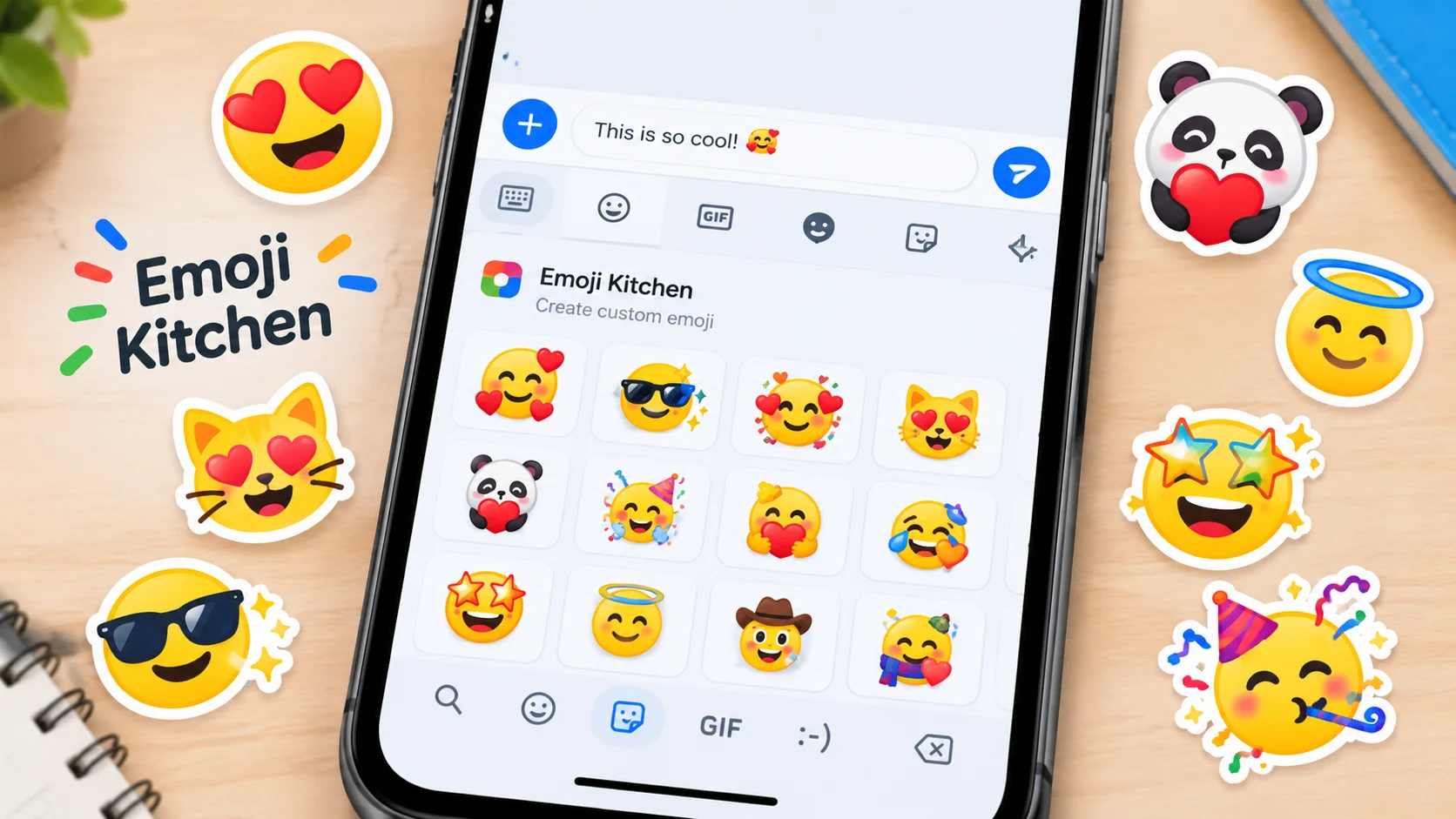
Emoji Kitchen combines compatible emojis to create custom stickers that you can share in chats. On supported devices, you can usually access it through Gboard by selecting an emoji and choosing a suggested combination.
Emoji Kitchen is a feature that lets you combine two emojis to create a custom emoji-style sticker. Instead of sending a standard emoji, you can mix expressions, animals, hearts, and other symbols to make playful combinations that add personality to your messages. The feature is associated with Google’s Gboard keyboard and is especially useful when a regular emoji does not express exactly what you want to say.
For example, combining a smiling face with a heart may create a more affectionate design, while mixing different facial expressions can produce a funny reaction. Not every pair of emojis has a combination, and the available results depend on the supported emoji designs and keyboard version. Emoji Kitchen creations are generally stickers or images rather than new official Unicode emoji characters.
How to Use Emoji Kitchen
You can create emoji combinations through Google’s Emoji Kitchen in supported versions of Gboard and through Google Search. The exact interface may vary depending on your device and the version of the feature.
Method 1: Create Emoji Combos in Gboard

Step 1: Open a messaging app
Open Messages, WhatsApp, or another app where you can type, then tap the message field to open Gboard.

Step 2: Select an emoji
Tap the emoji button on your keyboard and choose a face, heart, animal, or another supported emoji.

Step 3: Choose a combination
Look for Emoji Kitchen suggestions above the keyboard. Depending on the available options, you may be able to select a second emoji or choose a suggested sticker.

Step 4: Send your sticker
Tap the design you like and send it in your conversation. It is shared as a sticker or image, not as a newly registered emoji character.
These steps describe the general workflow; the available controls can change with Gboard updates. Google’s Gboard guide explains how to access emojis and other keyboard features.
Method 2: Try Emoji Kitchen in Google Search
Google has also offered Emoji Kitchen through Search, allowing people to explore combinations without relying only on the keyboard.
- Open Google Search.
- Search for Emoji Kitchen.
- If the feature is available, open the interactive experience.
- Select the Combine option and choose two emojis.
- Browse the result and use the available option to copy or share it.
Google announced the Search experience in 2024, including a way to explore combinations and browse suggested designs. The interface and availability may change over time.
Fun Emoji Kitchen Combinations to Try
The examples below show the kinds of ideas you can explore. They describe the intended concept, not a guarantee that a particular sticker will be available for every pair.
😂 + 👻
Laughing ghost
A playful concept for reacting to a spooky joke or a funny, unexpected moment.
❤️ + 🔥
Fiery heart
A visual idea for strong enthusiasm, affection, or excitement.
🤔 + 🐱
Thinking cat
A humorous way to express curiosity, confusion, or a cat-like reaction to a question.
🥰 + ✨
Sparkling affection
A concept for a sweet message, a heartfelt compliment, or excitement about something adorable.
The actual artwork depends on the combinations supported by Emoji Kitchen. These pairs are examples of creative ideas, not confirmed sticker previews.
Related Emojis You Can Mix in Emoji Kitchen
Emoji Kitchen works with emoji designs as creative ingredients. These examples show how familiar emojis can communicate different ideas when used alone or combined into custom stickers.
| Emoji | Official Name | Common Meaning | Tone | Where or When It Is Used |
|---|---|---|---|---|
| 😂 | Face with Tears of Joy | Strong laughter | Funny, playful | Jokes and hilarious reactions |
| 🥰 | Smiling Face with Hearts | Love and affection | Warm, affectionate | Sweet messages and compliments |
| 🤔 | Thinking Face | Thought or uncertainty | Curious, thoughtful | Questions and puzzling situations |
| 👻 | Ghost | Spooky fun or playful mischief | Silly, spooky | Halloween and humorous reactions |
| 🤠 | Cowboy Hat Face | Playfulness and cowboy imagery | Cheerful, humorous | Jokes, western themes, and fun reactions |
| ❤️ | Red Heart | Love and care | Affectionate, sincere | Appreciation and heartfelt messages |
| 🔥 | Fire | Excitement, intensity, or something impressive | Energetic, enthusiastic | Celebrations and positive reactions |
| ✨ | Sparkles | Magic, emphasis, or something special | Bright, expressive | Celebrations, compliments, and decorative messages |
The main difference is that a standard emoji has its own familiar character and meaning, while an Emoji Kitchen sticker combines or reworks emoji artwork to express a more specific idea. For example, a regular ghost 👻 is easy to recognize, while a ghost combined with a laughing expression can suggest spooky humor.
Google describes these designs as custom stickers rather than new standard emoji characters.
Why Is Emoji Kitchen Not Working?
If Emoji Kitchen suggestions do not appear, try these checks.
- Update Gboard: An outdated keyboard may not show the latest features or available combinations.
- Check your keyboard: Make sure Gboard is the keyboard you are using, if you want to access its version of Emoji Kitchen.
- Try a different emoji pair: Not every combination produces a sticker.
- Check the suggestion area: Emoji Kitchen results may appear in the keyboard’s suggestion strip rather than in the regular emoji picker.
- Try Google Search: If the interactive Emoji Kitchen experience is available in your region and browser, it may provide another way to create combinations.
You can also review Google’s official Gboard setup instructions.
FAQs
Is Emoji Kitchen free?
Google’s Emoji Kitchen feature has been offered as a free way to create and share emoji stickers. Availability and access methods may change, so use Google’s official Search or Gboard experience to check what is currently available. Third-party apps with similar names may have their own pricing or advertisements.
Can I use Emoji Kitchen on an iPhone?
Gboard is available for iPhone and iPad, but the availability of Emoji Kitchen features can differ from Android. Google Search has also offered an Emoji Kitchen experience. If the feature does not appear in your iPhone keyboard, try the Search option when available.
Are Emoji Kitchen combinations official emojis?
No. The combinations are custom emoji-style stickers or images. They are not new Unicode emoji characters, so they do not receive individual Unicode code points in the same way as standard emojis.
Can I combine any two emojis?
Not every combination is guaranteed to work in every version or interface. Emoji Kitchen supports a large collection of designs, but available results depend on the feature and its supported combinations. Try another pair if your first choice does not produce a result.
Can I save and share Emoji Kitchen stickers?
You can share the stickers through supported apps and available sharing controls. Saving options depend on the interface and device. Remember that a sticker may appear differently from a standard emoji and may not behave like ordinary text when copied into every app.
Is Emoji Kitchen the same as an emoji generator?
They are similar in purpose but not necessarily the same product. Emoji Kitchen is Google’s emoji-mixing experience. Other emoji generators and third-party apps may offer different designs, editing tools, download options, or pricing.
Conclusion
Emoji Kitchen makes everyday messaging more creative by turning familiar emoji designs into expressive sticker combinations. You can use it to make a funny reaction, show affection, or find a visual response that a single emoji cannot quite capture.
For the most reliable experience, start with Google’s Gboard or its Emoji Kitchen feature in Search when available. Remember that these combinations are stickers, not new official Unicode emojis.
Discover More Related Articles:
- Fire Heart Emoji Meaning | When Love & Passion Burn Bright In 2026
- Soap Emoji Meaning | What This Clean Little Symbol Really Says In 2026
- Box Emoji Mean | From Deliveries to Surprise Gifts In 2026

Jessica Miller is a content writer at EmojisPeace.com, where she creates fun and easy-to-follow guides about emojis, their meanings and creative ways to use them. She loves helping readers express themselves with the perfect emoji for every moment.