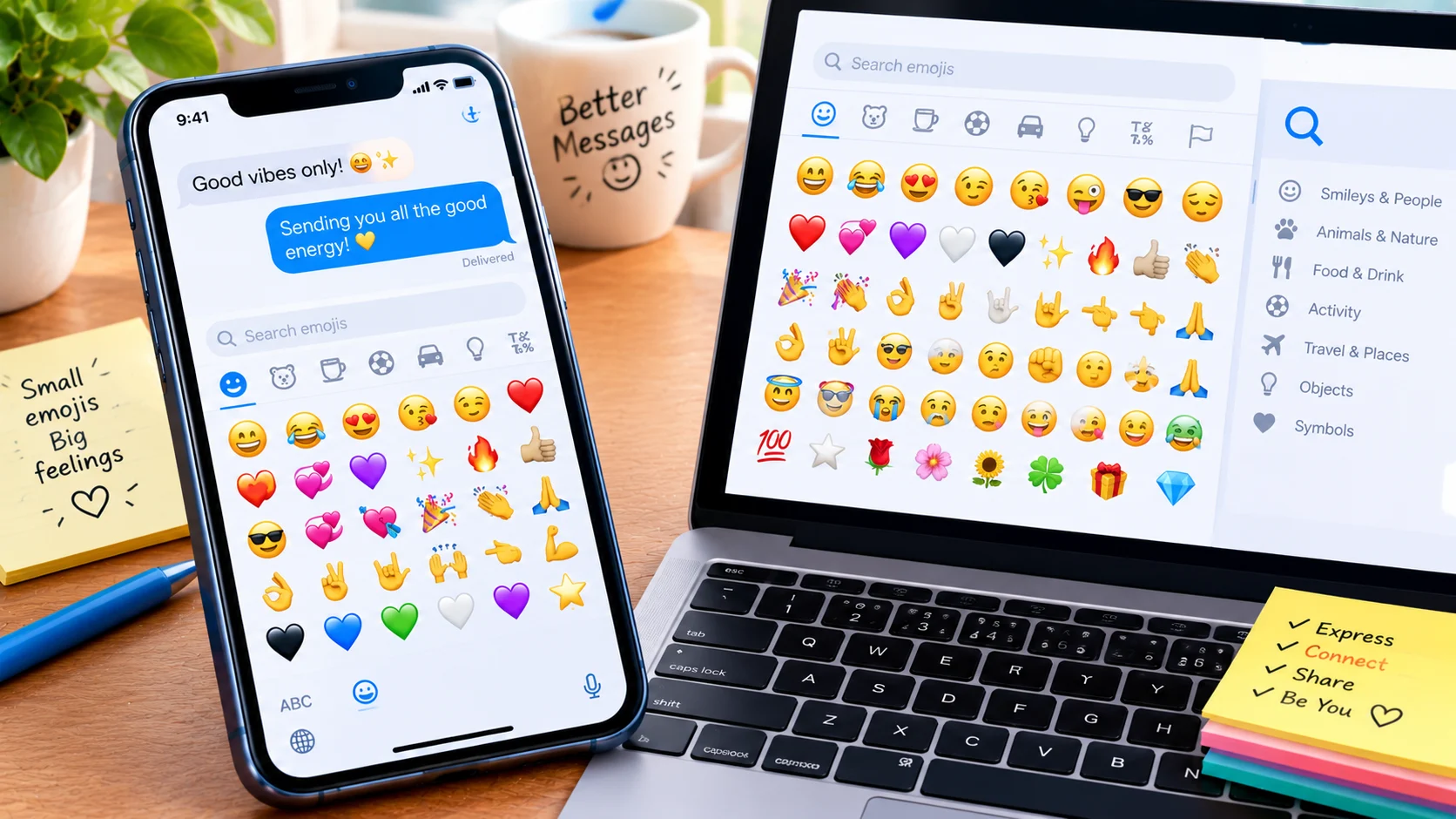
On iPhone or Android, tap the emoji or smiley-face key on your on-screen keyboard. On Windows, press Windows + . (period); on Mac, press Control + Command + Space to open the character viewer.
An emoji keyboard lets you add smiley faces, hearts, hand gestures, flags, food symbols, and other emojis to text messages, emails, social media posts, and online conversations. You can open one on an iPhone, Android phone, Windows PC, or Mac, then browse categories or search for a specific emoji. If your device does not have an easy-to-use emoji keyboard, you can also copy and paste emojis from a website.
The fastest method depends on your device and keyboard app. This guide explains how to access the emoji keyboard, search for emojis, copy symbols, and solve common problems when the emoji button is missing.
Emoji Keyboard Shortcuts at a Glance
Use this table to find the quickest way to open an emoji picker on your device.
| Device | How to Open the Emoji Keyboard | How to Find an Emoji |
|---|---|---|
| iPhone or iPad | Tap the Emoji key or globe key on the keyboard | Browse categories or use emoji search |
| Android | Tap the emoji key in your keyboard app, such as Gboard | Search by name or browse categories |
| Windows 11 | Press Windows + . | Type a word in the emoji panel’s search field |
| Mac | Press Control + Command + Space | Search in Character Viewer |
| Chromebook | Right-click a text field and look for the emoji option, or use the available keyboard shortcut | Browse the emoji picker if available |
Apple documents the emoji keyboard and search features on iPhone, while Microsoft confirms the Windows shortcut for opening its emoji panel. Mac users can access emoji through Character Viewer.
How to Use an Emoji Keyboard on Your Device
On iPhone and iPad

- Open Messages, Mail, Notes, or another app with a text field.
- Tap the text field to display the keyboard.
- Tap the Emoji key or the globe key.
- Browse the emoji categories or search for an emoji by name.
- Tap the emoji to insert it into your message.
If the emoji keyboard is missing, go to Settings → General → Keyboard → Keyboards → Add New Keyboard → Emoji. Menu labels may vary slightly by iOS version.
On Android

The exact steps depend on the keyboard app installed on your phone, but the process is similar for many Android devices.
- Open an app where you can type.
- Tap the text field to bring up your keyboard.
- Tap the smiley-face or emoji key. In some keyboard layouts, you may need to press and hold a key to reveal it.
- Browse the categories or use the search feature if your keyboard offers one.
- Tap an emoji to add it to your text.
If you cannot find the emoji button, check your keyboard settings. Some Android phones use Gboard, while others may use a manufacturer-provided keyboard. The available features and button positions can differ.
On Windows 10 and Windows 11

Windows includes a built-in emoji panel, so you usually do not need to install a separate emoji keyboard.
- Click a text field in an app or website.
- Press Windows + . (period) or Windows + ; (semicolon).
- Select the emoji category you want.
- Search for an emoji by typing a word, such as “heart,” “laugh,” or “pizza.”
- Select the emoji to insert it.
The panel may also include GIFs, kaomoji, and symbols, depending on your Windows version and available features.

Microsoft Support
+1
On Mac

- Open a text field in an app.
- Press Control + Command + Space.
- Browse the emoji and symbol options in Character Viewer.
- Search for the emoji you want.
- Double-click or select the emoji to insert it.
You can also configure a supported keyboard key, such as the Fn or Globe key, to open emoji and symbol options on compatible Macs.
Emoji Keyboard for Copy and Paste
If you cannot open the built-in emoji keyboard, copying emojis from a page like this can be a quick alternative. Select an emoji, copy it, and paste it into your message.
Choose an emoji to copy
😀Grinning Face
😂Face with Tears of Joy
🥹Face Holding Back Tears
❤️Red Heart
😍Smiling Face with Heart-Eyes
👍Thumbs Up
🙏Folded Hands
🔥Fire
🎉Party Popper
✨Sparkles
😭Loudly Crying Face
🫠Melting Face
🤔Thinking Face
🥰Smiling Face with Hearts
💯Hundred Points
Selected emoji
😊
Copy emoji
Common Emoji Categories and Examples
| Category | Example Emojis | Common Uses |
|---|---|---|
| Smileys and emotions | 😀 😂 🥹 | Happiness, laughter, and emotional reactions |
| Hearts and affection | ❤️ 🥰 💕 | Love, warmth, and appreciation |
| Hand gestures | 👍 👏 🙏 | Approval, applause, thanks, or requests |
| Animals and nature | 🐱 🐼 🌸 | Pets, wildlife, flowers, and nature |
| Food and drinks | 🍕 ☕ 🍰 | Meals, coffee breaks, and treats |
| Activities and celebrations | ⚽ 🎉 🎂 | Sports, parties, and birthdays |
| Travel and places | ✈️ 🚗 🏖️ | Trips, transportation, and destinations |
| Objects and symbols | 💻 💡 ⭐ | Technology, ideas, and emphasis |
These are examples of how emojis are commonly grouped and used, not fixed meanings. The same symbol can communicate different things depending on the message.
How to Find the Right Emoji Faster
Searching is often quicker than scrolling through hundreds of symbols. Try these methods:
- Search by emotion: Type “happy,” “sad,” “angry,” or “love.”
- Search by object: Try “coffee,” “phone,” “car,” or “flower.”
- Use recent emojis: Many keyboards include a recently used section.
- Try alternative words: If one search does not work, try a synonym or a description of the emoji.
- Check the visual result: Similar search terms may return several emojis with different expressions or meanings.
Search features vary by device and keyboard app, so a term that works in one picker may not return the same results in another.
Why Is My Emoji Keyboard Not Working?
If emojis do not appear or the keyboard button is missing, try these basic fixes.
The emoji key is missing. On an iPhone, check that the Emoji keyboard is enabled in Settings. On Android, review the keyboard app’s layout and preferences.
The keyboard shortcut does nothing. On Windows, click a text field first and press Windows + . again. On Mac, try Control + Command + Space while an app accepts text input.
An emoji appears as a box or question mark. The receiving device, app, or font may not support that emoji. Updating the operating system or app may help, but the result depends on the device and software.
The emoji looks different on another phone. Emoji artwork varies by platform. The same character may have a slightly different design on Apple, Google, and Samsung devices.
An emoji will not send correctly. Check the app supports the character and your message is being handled as text. If needed, try sending it in another messaging app.
FAQs
Is an emoji keyboard free?
Built-in emoji keyboards on iPhone, Android, Windows, and Mac are generally included with the operating system or keyboard software. You usually do not need to pay for basic emoji access.
Can I use an emoji keyboard on a website?
Yes. You can open your device’s emoji picker while typing in many websites, including social media, email, and online forms. The website must support text entry, and some fields may restrict certain characters.
Can I search for an emoji by name?
Many emoji keyboards include search. Enter a word related to the expression, object, activity, or symbol you want. The results depend on the keyboard’s search system.
Why do emojis look different on iPhone and Android?
Each platform can use its own artwork to display the same standardized emoji character. The basic character identity remains the same, but its appearance can vary.
Can I create my own emoji?
Some apps and platforms offer custom emoji or sticker tools. These are different from the standard Unicode emoji keyboard, which provides recognized emoji characters. Availability depends on the device, app, and supported features.
Is an emoji keyboard the same as an emoji picker?
The terms are often used interchangeably. More precisely, an emoji keyboard may be part of your regular keyboard, while an emoji picker is a panel or menu used to select an emoji.
Conclusion
An emoji keyboard makes it easy to add expressions, symbols, and visual details to everyday messages. On phones, look for the emoji or globe key; on Windows, use Windows + .; and on Mac, open Character Viewer with Control + Command + Space. If your built-in keyboard is unavailable, copying and pasting an emoji offers another simple option.
Discover More Related Articles:
- Pray Emoji Mean | Prayer, Gratitude & More In 2026
- Purple Heart Emoji | What It Says About Love, Loyalty & Friendship In 2026
- Celebrate Emoji | The Perfect Way to Share Excitement & Joy In 2026

Jessica Miller is a content writer at EmojisPeace.com, where she creates fun and easy-to-follow guides about emojis, their meanings and creative ways to use them. She loves helping readers express themselves with the perfect emoji for every moment.